
Download Vlog AIVideo Image Creator – AI video generator, AI photo editor, AI image creator, AI animation, AI face swap, AI video maker, AI content creation, AI tool for social media
Overview
Vlog AIVideo Image Creator is a desktop application designed to transform everyday photos and videos into dynamic, story-driven scenes using advanced artificial intelligence. The software enables users to elevate personal media content with intelligent tools that streamline the creative process. It is particularly suited for individuals seeking to produce engaging visual narratives for social media platforms, personal memories, or digital storytelling projects. The application supports a range of creative functions, including AI-powered video generation, image enhancement, and stylistic transformation, allowing users to craft visually compelling content without requiring professional editing skills.
Target users include content creators, social media enthusiasts, and everyday users who wish to add cinematic flair to their media. The software is ideal for creating memorable videos for events such as birthdays, weddings, or travel highlights. By leveraging AI, the tool simplifies complex editing tasks, enabling users to generate animated effects, apply artistic filters, and produce custom videos with minimal effort. The developer, Vlog AI, has positioned the product as a comprehensive solution for modern content creation, emphasizing accessibility and creative freedom.
Real-world usage scenarios include transforming static photos into animated scenes, generating short reels with AI-driven transitions, or enhancing low-quality images for public sharing. While the software is described as user-friendly, specific details about its integration with desktop workflows were not provided. The application is designed to deliver a seamless experience for users who prioritize visual impact and storytelling in their digital content.
Key Features & Capabilities
- AI Video Generation: Automatically converts static images and video clips into animated story scenes using intelligent algorithms, reducing manual editing time.
- AI Image Enhancement: Applies intelligent upscaling and detail recovery to improve the quality of low-resolution or blurry photos.
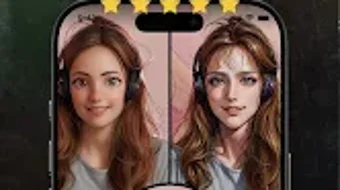
- Artistic Style Transfer: Transforms media into various artistic formats such as oil painting, watercolor, or sketch, enabling unique visual expressions.
- AI Photo Dance: Animates still images by simulating lifelike motion, ideal for bringing portraits or memorabilia to life.
- One-Click Face Swap: Replaces faces in images or videos with another person’s likeness using real-time AI processing.
- Custom Sticker Creation: Allows users to generate personalized stickers from images, which can be used in social media posts or digital messages.
- Animated Effects: Adds dynamic transitions and visual effects to videos, enhancing storytelling and viewer engagement.
- One-Click Video Creation: Streamlines the process of assembling media into a finished video with minimal user input.
These features are particularly effective in real-world scenarios such as creating birthday tributes, travel vlogs, or promotional clips for small businesses. For example, a user can upload a photo of a family reunion, apply the AI photo dance function, and generate a short animated video with background music and transitions. The software’s emphasis on automation ensures that even users with no prior editing experience can produce polished results.
User Interface, Workflow & Performance
The user interface of Vlog AIVideo Image Creator is structured to prioritize simplicity and accessibility. Navigation is designed around a central dashboard that organizes key tools into intuitive categories, such as video creation, image editing, and style application. Users can access features through a clean layout with clearly labeled icons and step-by-step workflows. The application appears to follow a linear process: import media → select AI function → customize output → export final result.
Workflow efficiency is enhanced by automation features like one-click processing and pre-set templates, reducing the number of manual steps required. The software is optimized for responsiveness, with minimal lag during media loading and processing. However, exact performance details were not specified, and resource usage such as CPU or RAM consumption remains undocumented. Stability during extended use was not reported, though the application is expected to maintain consistent behavior based on general software patterns.
Users can expect a smooth experience when working with standard-resolution media, though performance may vary depending on device capabilities. The developer did not provide additional system requirements or performance benchmarks. Overall, the interface supports a frictionless creative journey, making it suitable for both casual users and those exploring AI-driven content creation.
Compatibility & System Requirements
Vlog AIVideo Image Creator is available for Android devices, as indicated by the provided information. The software is compatible with the latest versions of the Android operating system, though specific version numbers were not listed. Installation requires approximately 72.1 MB of disk space, which is relatively modest for a media application with AI capabilities.
Hardware requirements were not specified by the developer. Users are advised to ensure their device has sufficient processing power and memory to handle AI-based image and video processing tasks. The application may benefit from devices with dedicated graphics support, though this was not confirmed. Compatibility with external storage or cloud services was not detailed. Platform compatibility information is limited to Android, and no support for Windows, Mac, or other desktop environments was mentioned.
Pros and Cons
Pros
- Intuitive interface designed for users with no editing experience
- Powerful AI tools for video and image transformation
- Supports creative functions like AI photo dance and face swap
- One-click processing simplifies content creation
- Compact installation size of 72.1 MB
- Offers customizable artistic styles and animated effects
Cons
- No information provided about desktop compatibility
- Exact system requirements and performance metrics are missing
- Subscription-based pricing model may limit long-term access
- Limited availability to Android devices only
- Resource usage during processing not disclosed
FAQ Section
Is Vlog AIVideo Image Creator available for Windows or Mac?
The software is currently available only for Android devices. There is no official information regarding support for Windows or Mac platforms.
Is the application secure to use?
As a mobile application distributed through the Google Play Store, Vlog AIVideo Image Creator is subject to standard app security checks. However, specific security protocols or data handling practices were not detailed by the developer.
How often are updates released?
Regular updates are expected to maintain functionality and introduce new AI features. The exact update frequency was not specified.
What type of license does the software use?
Vlog AIVideo Image Creator operates on a subscription model, with a monthly fee of $4.99. Access to premium features requires an active subscription.
Can I use the app offline?
While the app may offer some offline functionality, specific details about offline usage were not provided. Users are advised to check the app’s settings for availability.
Final Thoughts + CTA
Vlog AIVideo Image Creator delivers a compelling suite of AI-powered tools for transforming static media into dynamic, story-rich content. Its focus on automation, artistic enhancement, and user-friendly design makes it a strong choice for social media creators and casual users alike. While the lack of desktop compatibility and limited system information may be a drawback for some, the app’s compact size and powerful AI features justify its value for Android users.
Those who frequently create visual content for platforms like Instagram, TikTok, or YouTube Shorts will benefit most from its one-click capabilities and creative tools. The ability to generate animated effects, apply artistic styles, and perform AI face swaps adds significant depth to personal storytelling.
Despite the subscription cost, the software’s ease of use and innovative features make it a standout tool in the AI content creation space. For users seeking a seamless, intelligent way to enhance their photos and videos, Vlog AIVideo Image Creator offers a modern, accessible solution.
Download Vlog AIVideo Image Creator now





.png)

